

A Thermo King alarm can catch you off guard, especially when the unit has been running smoothly and a flashing code appears on your screen. Next time, don’t panic. In this guide, we’ll show you the steps for a Thermo King alarm code reset and how you can respond to common Thermo King codes.
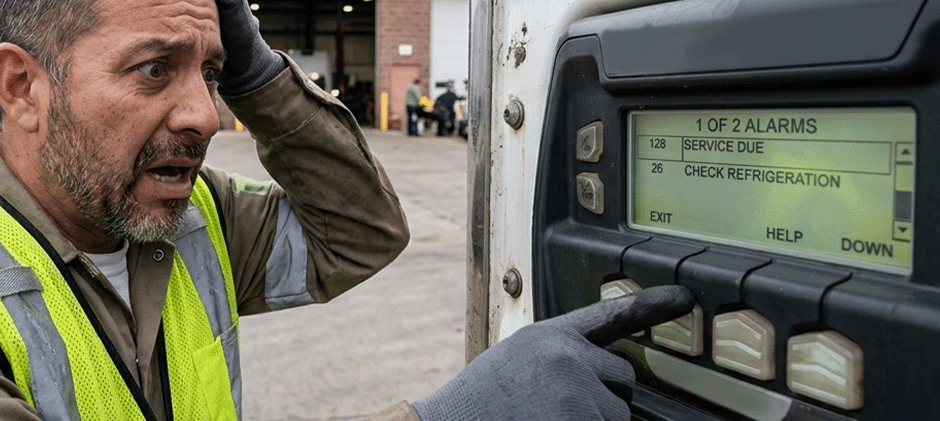
Step-by-Step Guide on Thermo King Alarm Code Reset
Here are the steps for the Thermo King alarm code reset. Always refer to your owner’s manual before taking any action.
Step 1: Check Alarm Code First
Before you touch anything, look at the status indicator on your controller. Thermo King’s code system uses color to tell you how urgent you need to act.
- A red code means taking immediate action. These are unit-protection or cargo-risk situations like high discharge pressure, low oil pressure and engine shutdown. Running through a red code can lead to costly damage and potential load loss.
- A yellow code means attention is needed while the unit is still operating. Think of it as the unit saying it can finish today, but do not ignore this.
- A green code means all clear. No faults, no action needed. If you see Code 00 after a repair, your reset was successful.
Step 2: Know Your Controller in Use
Thermo King uses several controller generations across its product line, and the reset procedure varies by platform. Here are the three most common:
- Micro Controller: Often found on older SR and SB series units. It uses a simple two-digit numeric display and is straightforward to read but limited in diagnostic depth. And the alarm clearing is done through a specific button sequence described in the operator manual.
- Smart Controller: Common on SR-2 and SR-3 era units. It introduces more sophisticated alarm history logging. You can scroll through past faults, not just the active one, which is useful for identifying whether a code is new or recurring.
- HMI Controller: Standard on newer T-series and Precedent units. It displays plain-text descriptions alongside the code number and uses on-screen menu navigation to manage alarms. There is no single physical reset button — clearing a fault is done through the alarm management screen.
Always confirm your controller type before looking up a code or attempting a reset. The same code number can behave differently across platforms, and the reset method on an HMI unit is not the same as on a Micro Controller.
Step 3: Read the Alarm Code Carefully
Start with the code on the control panel and read it carefully. Even if you think you already know the problem, check it anyway. Similar alarms can point to different faults, and misreading a short display message is easier than it sounds. The code tells you where to look next. Some relate to fuel pressure, others to temperature drift, and some point to electrical trouble.
Keep the manual nearby, because acting on the wrong code wastes time and occasionally makes things worse. For a complete reference of Thermo King Codes, their status levels and recommended operator actions, refer to the Official Thermo King Alarm Codes here.
Step 4: Address Immediate Issue
Once you know the code, look at the obvious things around the unit before resetting anything. Fuel level, battery condition, airflow around the condenser, and current temperature are all worth checking quickly.
Your Thermo King unit may throw an alarm over something small and sometimes that small thing is exactly what needs attention right then. If the issue is visible and fixable, address it first. Resetting without resolving the root cause means the alarm comes right back.
Step 5: Perform the Reset
After the fix, clear the fault code through your controller’s alarm management system.
- On a Micro Controller, use the button sequence described in your unit’s operator manual to navigate to the alarm and clear it. The exact combination varies by model year.
- On a Smart Controller, enter the alarm log from the main menu, highlight the fault you have addressed, and select Clear Alarm. The controller removes it from the active list but keeps it in the historical log, which is useful for tracking patterns over time.
- On an HMI Controller, navigate to the alarm management screen and clear the fault using the on-screen prompts. Some models also allow bulk clearing of all resolved alarms from the service menu.
Stay near the panel while doing this. If the alarm clears and then returns immediately, stop. If the unit is still detecting the same fault, and the root cause was not fully resolved.
Step 6: Allow the Unit to Restart
After the reset, press Start and let your Thermo King unit go through its startup cycle without interrupting it. You will usually hear the compressor engage after a short pause. Listen to unusual sounds or hesitation because they can tell you a lot before the display updates. Do not rush past this step.
Step 7: Monitor, Test & Document
Watch the unit for several minutes after it restarts. Look at temperature movement, panel readings, and whether any warning lights return. A steady temperature reading usually means the reset held. Significant drift means something may still be off.
Then let the unit run long enough to settle into normal operation and cycle at least once or twice. Some faults only return after the unit has been running for a while. Pay attention to how consistently it holds temperature and how often the compressor cycles on and off. If anything feels irregular, even slightly, catch it now before the next load goes in.
After confirming the repair was held, log the fault code, what you found, what you replaced or adjusted, and the date. For fleet operators, this history becomes essential for identifying patterns across multiple units. For example, a Thermo King Code 32 that returns every 60 days points to a maintenance interval problem, not a random failure.
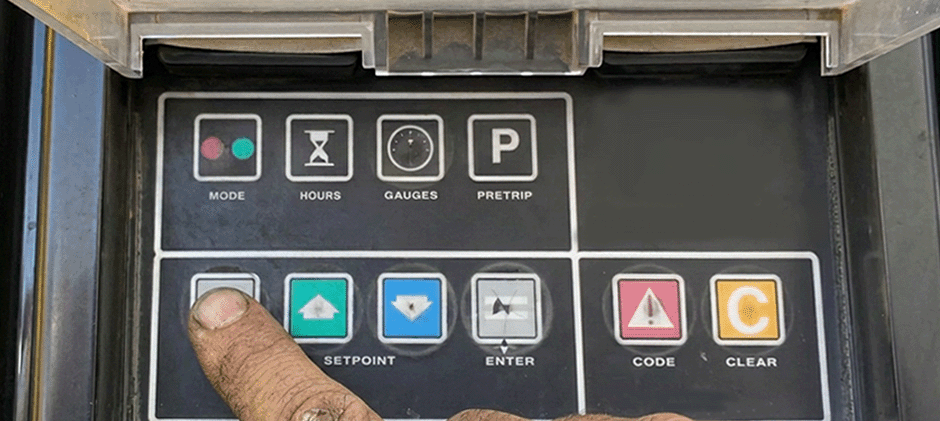
Causes & Fixes of Common Thermo King Codes
Here we list common Thermo King Codes and their causes and fixes for your reference. Always refer to your owner’s manual when performing any acts.
Thermo King Code 10–High Discharge Pressure
- Blocked or dirty condenser coils— Clean with low-pressure air or water
- Condenser fan motor or blade failure — Check rotation direction, blade condition, and listen for unusual noise on startup
- Refrigerant overcharge — Verify the charge level before assuming a mechanical fault
- Non-condensable gases in the system — Rule out other causes first, then have a certified technician evaluate refrigerant circuit integrity
- Faulty discharge pressure sensor — Only consider this after all physical checks come back clean
- Extremely high ambient temperature — Shade the unit temporarily and recheck readings
Thermo King Code 17 — Engine Failed to Crank
- Dead or severely discharged battery — Check voltage with a multimeter
- Poor battery cable connections — Clean terminals with a wire brush, tighten clamps, and reinstall
- Starter motor failure — Have a technician test it directly
- Safety interlock or switch triggered — A tripped safety switch can block cranking entirely. Check the alarm history for codes preceding Code 17 to identify which safety circuit is involved
- Fuel solenoid not releasing — If all other checks are clean, have a technician verify the solenoid is receiving the correct signal and opening fully
Thermo King Code 20 — Engine Failed to Start
- Weak or dead battery — Check voltage under load, not just resting voltage. A 12-volt system should read at least 12.4 volts at rest
- Low fuel or fuel system issue — Check fuel level first. If fuel is present, inspect the filter for blockage and check for water contamination or air in the fuel line
- Glow plug or intake heater failure — Allow extra warm-up time and verify glow plug operation if the engine cranks but won’t fire
- Starter motor failure — Check all connections and cables before replacing the starter motor itself
- Engine mechanical issue — Call a technician.
Thermo King Code 32 — Refrigeration Capacity Low
- Low refrigerant charge — Look for oil staining around fittings and the compressor and repair the leak
- Worn or failing compressor — Have a technician evaluate the compressor output
- Restricted or failed expansion valve (TXV) —Have the valve inspected and tested by a technician
- Dirty or frosted evaporator coils — Initiate a manual defrost cycle and check whether the unit recovers once defrost completes
- Economizer circuit issue — Check the full alarm history for related codes appearing before Code 32
Thermo King Code 37 — Check Engine Coolant Level
- Actual low coolant level — Let the engine cool before opening the reservoir. Top up with the correct coolant mixture
- Coolant leak — Check hoses, clamps, radiator, and the water pump area for wet spots or residue
- Faulty coolant level sensor — Have a technician test the sensor before assuming there is an unfindable leak
Thermo King Code 63 — Engine or Vapor Motor Stopped
- Engine shutdown due to a protective fault — Address the root cause of the protective shutdown before restarting
- Fuel starvation — Check fuel level immediately. If fuel is present, inspect the filter and fuel line connections
- Low engine oil pressure — Check oil level before anything else
- Electrical interruption — Inspect cables, fuses, and relay condition if fluid levels all check out
- Belt or clutch failure — Inspect belt condition and clutch engagement visually before restarting
Thermo King Code 84 — Restart Null
- Brief power interruption — Check battery connections for looseness or corrosion and verify alternator output
- Temporary sensor fluctuation — Check the alarm history for sensor-related codes just before each Code 84 entry
- Unit recovering from a cleared fault — Address the original fault and Code 84 will typically clear on its own
- Battery or charging system instability — Check battery voltage under load and confirm the alternator is charging correctly
Final Thoughts
Thermo King codes are essential for quickly diagnosing and resolving issues. Next time a flashing code appears on your panel, don’t panic. Read this blog to see the Thermo King alarm code reset steps and you’ll know how to respond to these codes. Stay tuned to FridayParts and you’ll learn more about your Thermo King reefer units. Also, you can explore a vast selection of high-quality replacement Thermo King parts to get your units back to their best performance.
